
The difference is not the AI model. It is the job you give it: answer or sell. An AI chatbot answers well. An AI personal shopper does what a good in-store salesperson does — asks little, understands the occasion, shows three right options and closes.
This piece explains what changes between the two, when each one makes sense and how both live in the same widget.
What an AI personal shopper is
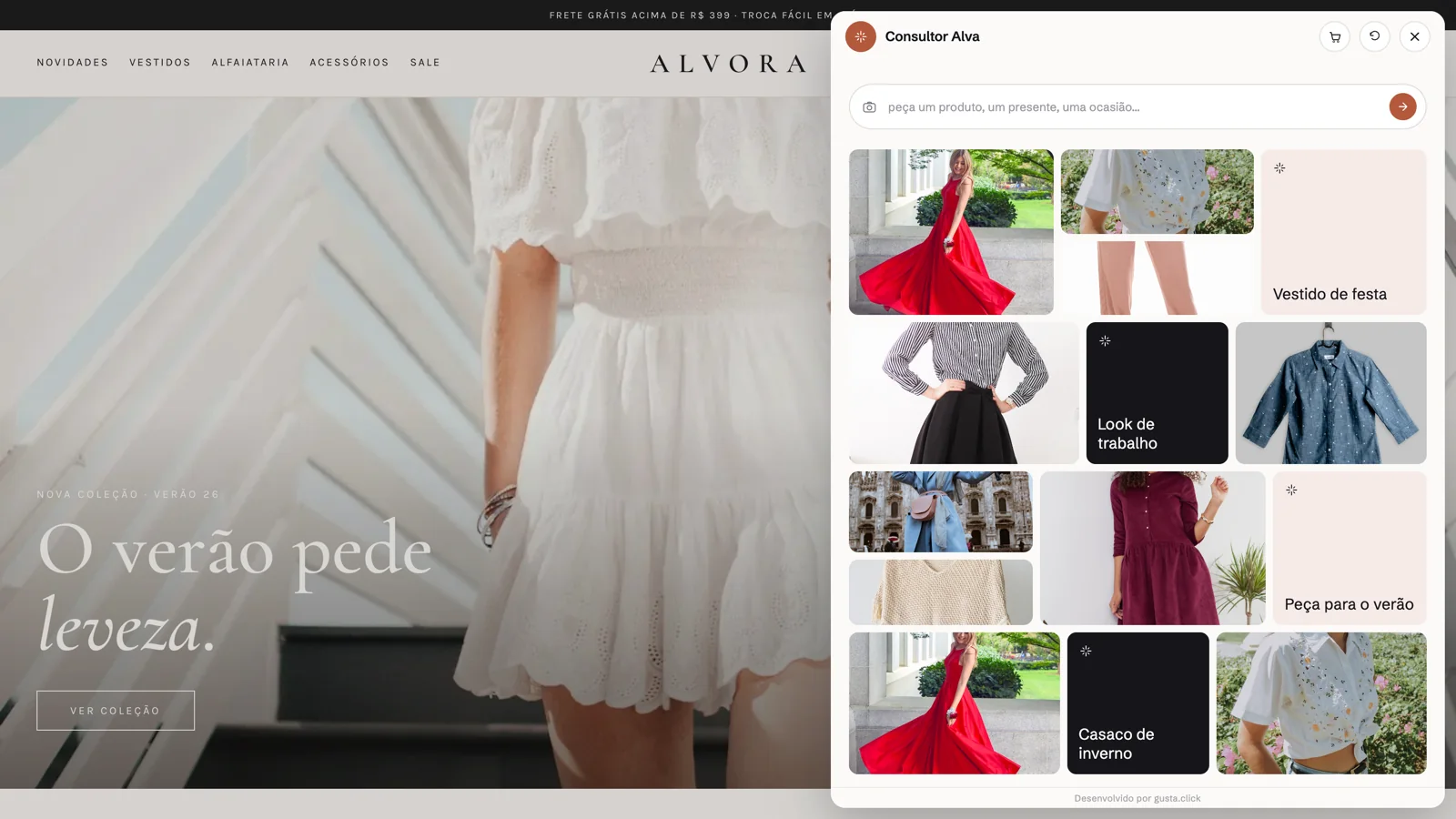
It is a shopping assistant, not a support assistant. The conversation starts from what the customer wants — “a gift under $200”, “a dress for a beach wedding”, “headphones for the gym” — and the assistant answers with products, not with text.
In practice, an AI personal shopper:
- Reads the occasion, not the keyword. “Something comfortable for work” becomes a selection, not a search for “comfortable”.
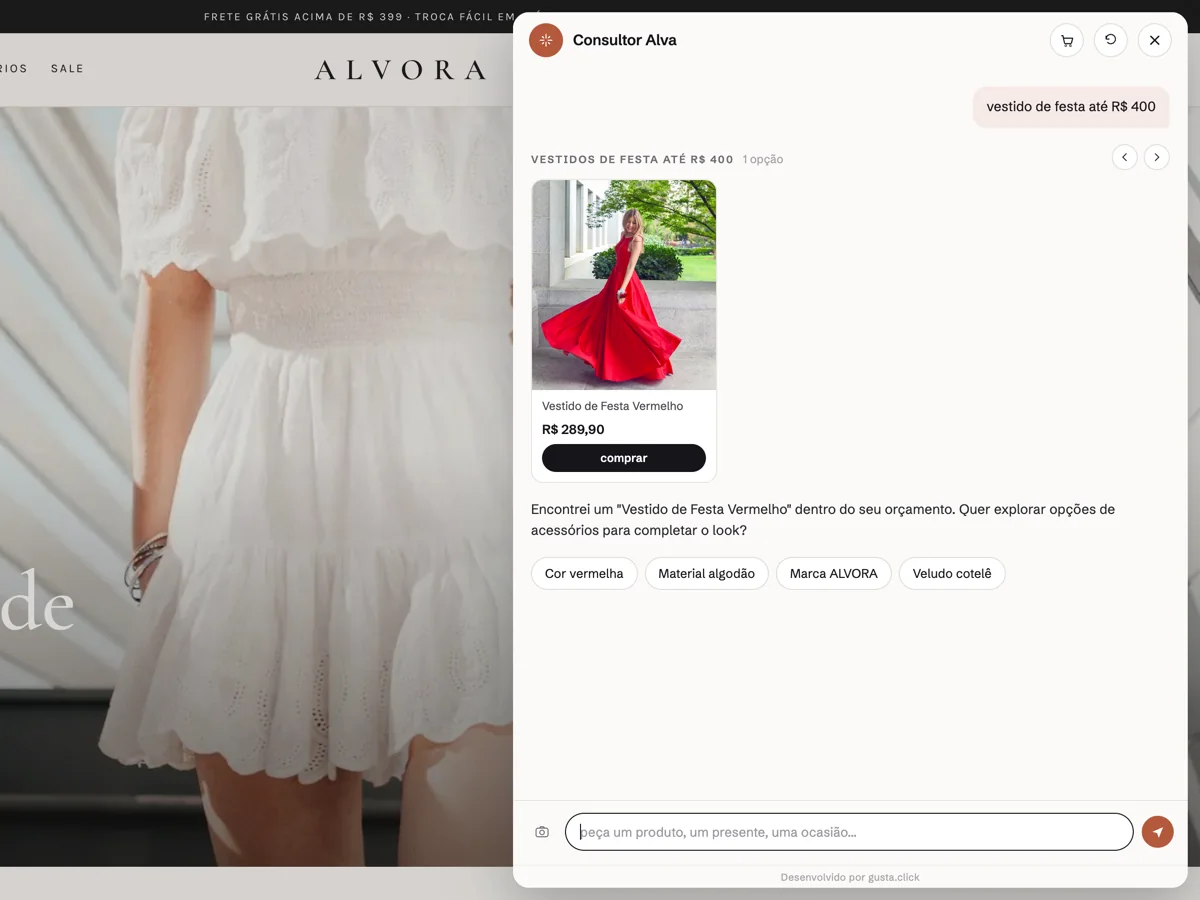
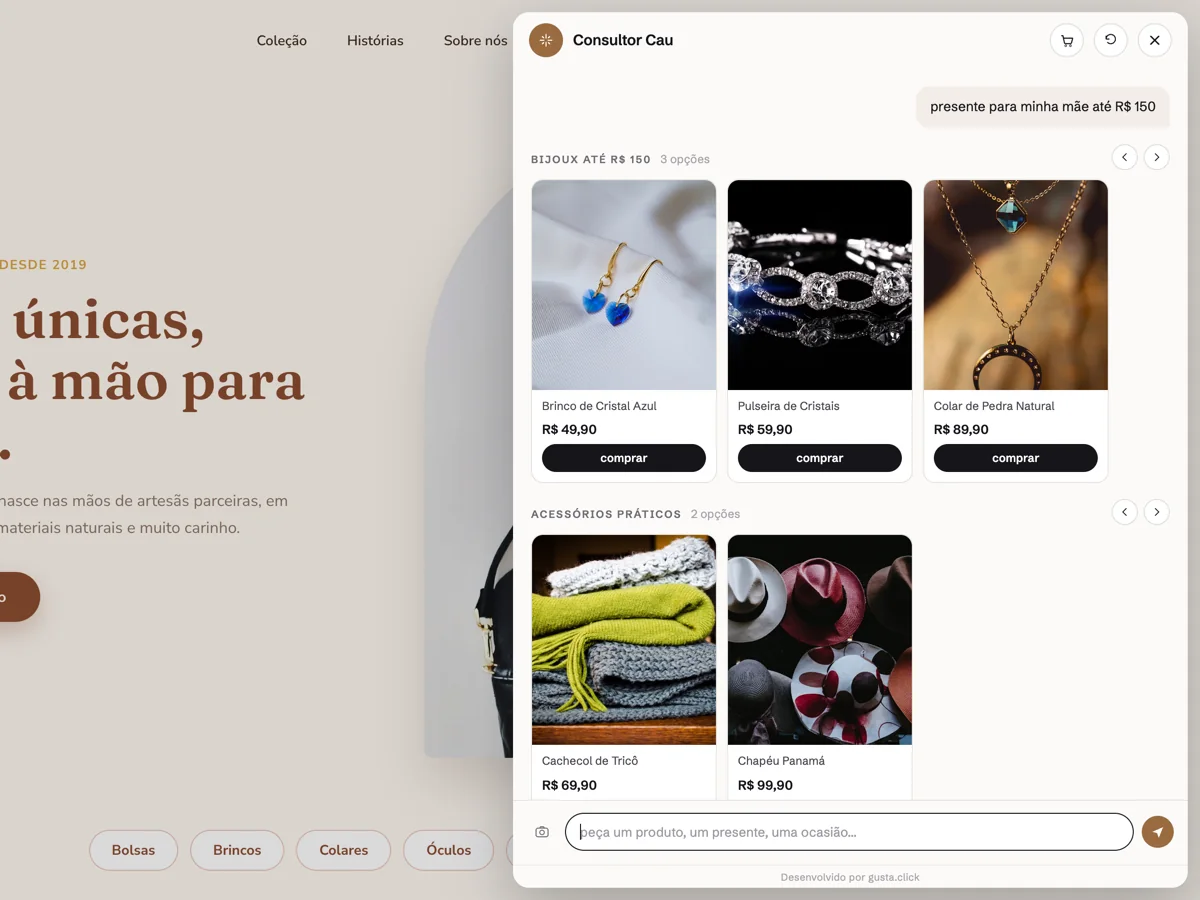
- Recommends a few options, with photo, price and why each one made the list.
- Compares side by side when the customer hesitates between two.
- Assembles sets — the dress and the accessory, the headphones and the case.
- Takes the customer to the cart without leaving the conversation.
The AI chatbot: when it is enough
A large share of ecommerce support is predictable: delivery times, returns, sizing, payment methods, “where is my order”. For that, an AI chatbot with a guided flow does the job — and does it better than a consultant, because it is predictable and auditable.
A well-built guided flow:
- Follows a script designed in a flowchart editor, with chained questions.
- Still reads free text: it extracts several details from a single sentence and skips what the customer already answered.
- Starts from a ready-made template by niche — apparel, jewelry, electronics, games, furniture, auto parts, vehicles, woodworking, repair services, clinics, software — and is tuned from real conversations.
- Hands off to a person when confidence drops.
The common mistake is asking that chatbot to sell. It answers “we have dresses in the Party category” and sends the customer back to browsing. Correct, and useless.
Head-to-head
| AI chatbot (guided flow) | AI personal shopper (consultant mode) | |
|---|---|---|
| Goal | Answer questions and triage | Choose and sell |
| Starting point | Menu or the customer's question | Occasion, budget or style |
| Questions | The ones in the script | Few — only what is missing to recommend |
| Output | Text, link, handoff | Product cards, comparison, sets |
| Interface | Compact chat window | Wide side panel, image-led |
| Best for | Post-sale, policies, FAQ, lead capture | Pre-sale, gifts, large catalogs |
| Risk | Getting too rigid | Recommending without grounding — hence the real catalog |
When to switch on consultant mode
It makes sense when:
- The catalog is large enough for customers to get lost — hundreds of SKUs, several categories.
- Purchases are occasion- or gift-driven: fashion, jewelry, accessories, home decor, electronics.
- The ticket justifies a conversation. Nobody needs a consultant to buy a phone case; they do to choose a ring.
- The store already loses sales to doubt, not to price.
And it does not make sense when:
- The catalog has few products, or a single one.
- Most conversations are post-sale.
- The store wants full control of the script, word by word.
In those cases, the guided flow alone is the right call, and cheaper to maintain.
How Nola AI does both
Nola AI is a single widget with both modes. The guided flow is on by default; Assisted Shopping — the consultant mode — is optional per store and starts off. You switch it on when you want, without changing tools or reinstalling anything.
What is the same in both modes:
- Answers come from the real catalog. Price, stock, variants and photos come from the synced store (VTEX, Shopify, WooCommerce or Magento). Questions like “most expensive”, “cheapest” or “under $X” become a query against the product database, not a similarity search.
- The cart is the same. An item added in the chat goes to the store's checkout.
- A person in the queue. When a case falls outside the script, the conversation lands in the dashboard with its history.
What changes is the interface and the pace: in consultant mode the panel is wide, the answer streams in, and the next question only appears if it is needed to recommend.
How to measure whether it paid off
Switch the consultant on and compare the same weeks before and after:
- Four-step funnel: conversation → product click → cart → checkout. It is the metric that separates “answered” from “sold”.
- Questions per step: where customers drop out of the conversation.
- Handoff rate: how much went to a person. If it jumped, the catalog or the training needs adjusting.
- Automatic suggestions: after 50 real sessions, the dashboard points out what to change in the flow.
Closed sales are not automatically attributed to the chat outside the native checkout; compare rates, not revenue.
Frequently asked questions
Is an AI personal shopper just a chatbot with another name?
No. The chatbot answers what was asked; the personal shopper drives the choice — asks what is missing, recommends, compares and builds the cart. The foundation (real catalog, a person in the queue) is the same; the job is different.
Can I start with the chatbot and switch the consultant on later?
Yes. In Nola AI both modes live in the same widget. Assisted Shopping is optional per store and starts off; switching it on does not require reinstalling.
Does the consultant make up products?
No. It only recommends what is in the synced catalog and says so when it has to relax a filter to find options.
Does it work for a small store?
The guided flow always does. The consultant pays off when the catalog is large enough that customers need help choosing.
CTA
Want to try both modes on your store? Nola AI comes with a 14-day free trial, no card. If the question is which support model fits your operation, talk to GUSTA.
Comments
No comments yet. Be the first to comment.