
Most teams lose performance on repetitive manual work. Many of these tasks can be automated while keeping people focused on decisions and creative growth. The goal is simple: remove operations noise and improve predictability.
Why this pain keeps recurring
Typical issues include:
- Manual product entry
- Inconsistent catalog and pricing updates
- High effort to recover abandoned carts
- Last-minute reporting
- Context-poor support responses
Traditional automation vs AI automation
Traditional automation applies fixed rules. AI automation learns from data and improves actions over time.
Example: a fixed rule sends a generic abandoned cart email. AI automation chooses message, timing, and offer based on profile and behavior.
9 automatable processes
- Product registration
- Description generation
- Classification and tagging
- Support triage
- Abandoned cart recovery
- Product recommendation
- Stock prediction
- Reporting and executive summaries
- Order synchronization
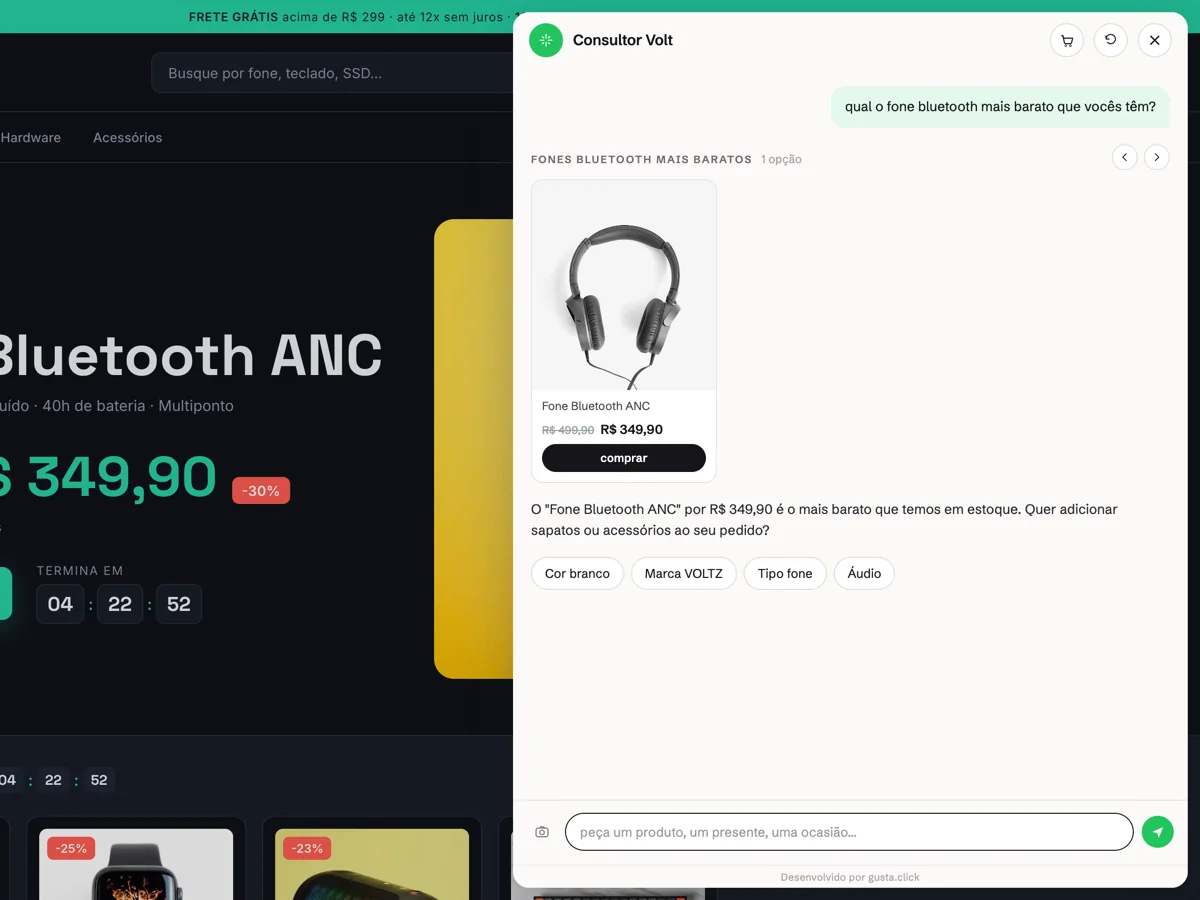
Three of these — support triage (4), abandoned cart recovery (5) and product recommendation (6) — happen on the same surface: the conversation with someone already on the site. That is the part of the list that does not need a new project. Nola AI, GUSTA's AI sales assistant syncs the store catalog (VTEX, Shopify, WooCommerce or Magento), answers from products that actually exist, builds the cart inside the chat and reports back in the dashboard: funnel, leads and most frequent questions. The other six items remain integration and data work. A live example: in the ENE2ESE case, where triage and recommendation run inside the store catalog, the conversation reaches a person whenever it leaves the authorized scope.
Start with an MVP
Prioritize by impact and reliability:
Phase 1
Choose 2 to 3 high-impact tasks.
Phase 2
Connect reliable data sources for products, orders, customers, pricing and stock.
Phase 3
Define safeguards: what can run automatically and what needs review.
Result metrics
| Metric | How to measure | Early target |
|---|---|---|
| Time saved | Weekly hours in operations | 30% to 60% |
| Conversion rate | Orders per session | +5% to +20% |
| Average ticket | Monthly average order value | +3% to +10% |
| Errors | Price and stock errors per week | -40% to -80% |
Human supervision and safety
Set clear thresholds for:
- Price changes by automation
- Escalation of support answers
- Audit logs and exception review
CTA
Ready to prioritize your first 3 automations? Ask for a technical diagnostic at Contact. If support is the priority, you can run Nola AI for 14 days, no card, before committing to anything.
Comments
No comments yet. Be the first to comment.